
Introduction
In the digital age, even the smallest home devices can leave people puzzled, concerned, or frustrated when things go wrong. One of the most common and urgent examples is when a smoke alarm beeps unexpectedly. Homeowners, renters, and even tech-savvy professionals often wonder why such an event happens. Is it a battery issue, dust accumulation, or a more serious malfunction?
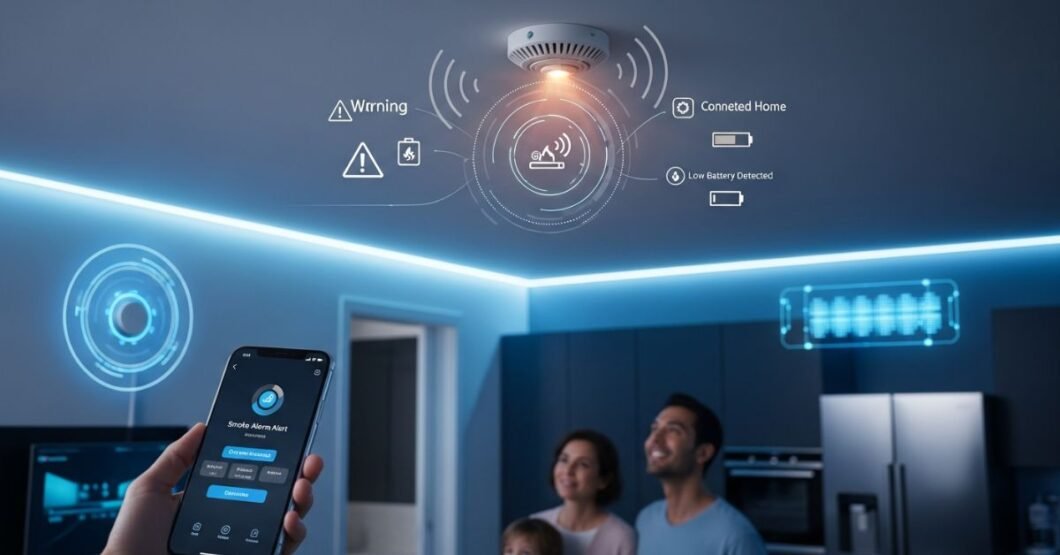
This guide will break down the various reasons behind beeping alerts through the lens of modern technology while offering practical fixes informed by 2026 standards. With the rise of smart homes, IoT integration, and AI-based safety systems, understanding how smoke alarms work and respond to environmental factors is more critical than ever. This article helps interpret those beeps through an expert, technology-driven perspective ensuring you stay safe, informed, and connected in your smart environment.
Understanding Modern Smoke Detection Technology
Today’s smoke alarm beeps detection units are not the simple gadgets of the past. In 2026, most detectors will be built with sensor fusion technologies, connectivity features, and self-diagnostic functions.
Types of Smoke Detectors in Use Today:
- Ionization detectors: Respond quickly to fast-flaming fires
- Photoelectric detectors: Better at spotting smoldering fires
- Dual-sensor units: Combine the above for full-spectrum safety
- Smart detectors: Equipped with Wi-Fi, Bluetooth, and voice announcements
These devices no longer just detect smoke, they assess air quality, check for low carbon monoxide levels, and integrate with home automation systems via hubs like Google Nest or Amazon Alexa.
Accuracy and Algorithms
Modern detectors use environmental data and machine learning models to reduce false alerts. However, even AI-powered units can beep for simple issues like power disruptions or physical damage.
Common Reasons Your Alarm Might Be Beeping
When your smoke alarm beeps makes a consistent chirping sound or intermittent beep, it’s typically signaling a non-emergency maintenance need. Recognizing those signals is essential for device longevity and peace of mind.
Major Causes:
- Low battery: This is the most common cause, particularly for backup batteries.
- Sensor error: Internal diagnostics detect hardware faults.
- Dust or insect buildup: Affects the sensor’s interpretation of air particles
- Humidity or steam: In bathrooms or kitchens, may cause false alerts
- End-of-life warning: Most have a lifespan of 7–10 years.
Each of these triggers a distinct beeping pattern. Audible codes are often detailed in the user manual or the companion mobile app if the unit is smart-enabled.
The Evolution of Beep Alerts Since 2020
Alert patterns have become significantly more nuanced over the past few years. In older devices, all beeps sounded alike. Today, users can distinguish between alert types by duration, repetition, and frequency tones.
Here’s how alert systems evolved:
| Year | Alert Functionality | Key Feature Enhancement |
| 2020 | Basic chirps/beeps | Low-battery warning only |
| 2023 | Smart alerts over apps | Push notifications added |
| 2026 | AI-diagnostics + voice-based alerts | Distinction between false and real threats |
These developments reduce confusion and allow homeowners to respond appropriately without overreacting or ignoring a faulty signal.
Smart Detectors vs. Traditional Models
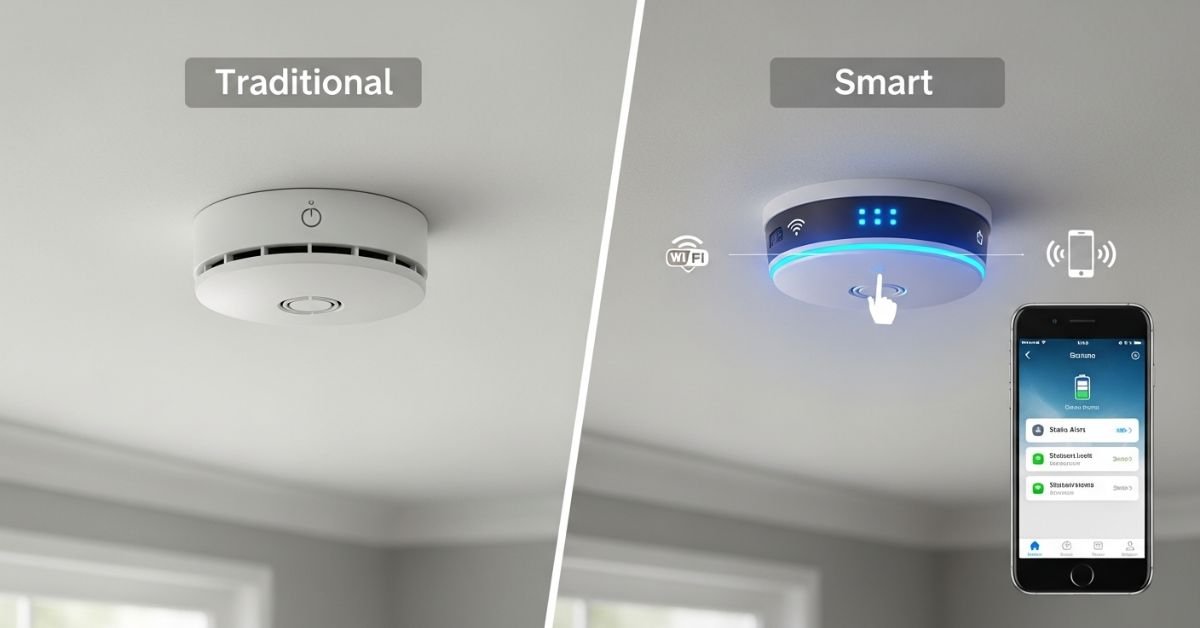
Not all smoke alarm beeps detectors are created equal, especially now that many consumers are choosing smart devices over basic standalone units.
Comparison Table:
| Feature | Smart Detectors (2026) | Traditional Detectors |
| Battery Status Alerts | App notifications | Beep indicator |
| Remote Monitoring | Supported | Not available |
| Sensor Accuracy | Higher, AI-optimized | Moderate |
| Life Expectancy Notifications | Via app & voice alerts | Manual check required |
| Integration | Alexa, Google Home, Apple HomeKit | None |
Smart units can send notifications even when you’re not home, immediately informing you if your monitor detects an issue or malfunctions.
Connectivity Issues and False Beeps
Sometimes the reason a smoke alarm beeps isn’t related to a fire, battery, or detection error; it may be due to a connectivity disruption or software glitch.
Why Connectivity Issues May Trigger Beeps:
- Temporary Wi-Fi outage disrupting status updates
- Failure to sync with the mobile app
- Firmware needing updates (a common cause in 2026)
- Conflicts with other IoT devices in crowded home networks
Resetting the device or updating its firmware via the app can often resolve the issue. Some brands also offer over-the-air diagnostics that identify and resolve bugs remotely.
How Environmental Factors Affect Detector Performance
Beyond hardware and software, external conditions can influence when and why an alarm makes noise.
Here are real-world elements that can interfere:
- Temperature extremes: Fluctuations near windows or HVAC ducts
- High humidity: Confuses sensors into thinking steam is smoke
- Household chemicals: Aerosols or strong cleaners can trigger a response.
- Dust accumulation: Infrequent cleaning leads to false readings.
To prevent these problems, consider where your detectors are installed. Placement too close to a kitchen or bathroom can cause regular false beeping, even in high-end models.
Maintenance Best Practices for Long-Term Functionality
Even the best technology needs proper upkeep. Following maintenance protocols ensures your detector remains accurate and doesn’t beep unless necessary.
Best Practices:
- Test your alarm monthly using the device’s test button.
- Replace batteries every six months (even if not yet low).
- Clean around vents using a dry cloth or vacuum every quarter.
- Replace the unit every 7–10 years (follow manufacturer guidelines).
- Keep away from known interference zones (e.g., vents, heaters, humidifiers).
Many modern apps now remind you of these tasks automatically, helping you stay on schedule without needing notes or paper logs.
Decoding Beeping Patterns by Brand and Model
Each brand now includes distinct beep patterns that indicate different issues, viewable both on the device and within the app for tech-enabled models.
| Brand | 3 Short Beeps | 1 Slow Beep | Voice Alerting | App Integration |
| Nest Protect | Sensor fault | Low battery | Yes | Yes |
| Kidde | End-of-service | CO presence | Limited | Yes |
| First Alert | Maintenance alert | Fire test mode | Yes | Optional |
Reading your device’s beep chart is key. Newer systems include multilingual voice prompts, visual LED indicators, and app-based history logs making beeping patterns easier than ever to interpret.
Safety Implications and Technological Reliability
While false beeps may be annoying, failing to respond to legitimate alerts can be dangerous. In 2026, centralized platforms ensure more accurate fire alerts, improving trust in the device’s reliability.
Recent studies by the National Fire Protection Association (NFPA, 2026) show that homes with technologically advanced detectors reduced fire-related injuries by 34% compared to homes with outdated devices.
The more accurate your device and the more proactive your response to its signals, the better protected your property and lives are.
When to Replace or Upgrade Your Detector
smoke alarm beeps Many users ignore their devices after installing them. However, all alarm types have expiration dates usually between 7 and 10 years. If your model is older than that date or you frequently experience unnecessary beeping, it’s time to upgrade.
Signs you need a new detector:
- Frequent false beeps occur without any identifiable cause.
- Device doesn’t reset properly after alarm
- No longer integrates with updated apps
- Cracked, discolored, or physically damaged casing
Newer models with voice-aware systems and self-testing reduce your maintenance workload and improve protection reliability.
How to Silence and Reset a Beeping Alarm
Finally, if your smoke alarm beeps and you’re sure there’s no emergency, knowing how to silence it correctly is crucial.
Here are general reset steps:
- Press and hold the reset button (often marked clearly on the surface).
- Remove the power source if beeping continues (battery or wired source).
- Clean the unit thoroughly with a microfiber cloth or soft brush.
- Restart the system or app if it’s a smart device and re-sync.
- Test the alarm afterward to confirm it’s functioning properly.
Always consult your model’s user manual, and never ignore persistent beeping if issues persist despite all efforts, seek professional advice or replace the unit.
FAQs
Why does my smoke detector beep for no reason?
It may signal a low battery, sensor error, or environmental interference.
How long do smoke detectors last?
Most last 7–10 years, depending on the model and usage.
Can Wi-Fi affect my detector’s performance?
Only in smart detectors can connectivity loss lead to alerts or syncing issues.
Do smart smoke detectors work without the internet?
Yes, most still detect smoke but won’t send remote alerts if offline.
Are monthly smoke detector tests necessary?
Yes, they help confirm all components are working correctly.
Conclusion
In a world increasingly driven by smart home automation, understanding why your smoke alarm beeps is part of responsible, tech-savvy living. Whether it’s a dying battery, environmental factors, or faulty hardware, learning how to interpret these signals saves time and enhances your household’s safety.
Advancements in device technology now offer app-based alerts, precise diagnostics, and voice prompts, helping users act decisively when something goes wrong. If you haven’t yet upgraded to a smart detector system, consider today as the moment to align your home safety with 2026’s top-tier technological standards.
Are you prepared to transform your home safety into the future? Start by reviewing your current system, checking its age, and considering a smart replace-and-upgrade plan for peace of mind.